
Pixelarium
Online OciGrup SL · May 16, 2019 · Casual, Indie, Pixel Graphics
Buy Pixelarium from Steam at $14.99 — the cheapest of 1 store we compare.
 Buy at Steam
 Where to buy Pixelarium — official stores
Pixelarium price by region
Pixelarium costs £12.79 in the United Kingdom, €14.79 in Europe (EUR), $14.99 in the United States, $14.99 in Georgia (USD), CA$19.49 in Canada, A$21.95 in Australia, NZ$21.99 in New Zealand, R$46.99 in Brazil and zł67.99 in Poland right now.
| Region | Best price | Official store | Key shop | Stores |
|---|---|---|---|---|
 United Kingdom United Kingdom | £12.79 | £12.79 | — | 1 |
 Europe (EUR) Europe (EUR) | €14.79 | €14.79 | — | 1 |
 United Statesyour region United Statesyour region | $14.99 | $14.99 | — | 1 |
 Georgia (USD) Georgia (USD) | $14.99 | $14.99 | — | 1 |
 Canada Canada | CA$19.49 | CA$19.49 | — | 1 |
 Australia Australia | A$21.95 | A$21.95 | — | 1 |
 New Zealand New Zealand | NZ$21.99 | NZ$21.99 | — | 1 |
 Brazil Brazil | R$46.99 | R$46.99 | — | 1 |
 Poland Poland | zł67.99 | zł67.99 | — | 1 |
Each row is a real price from that region's own stores, not a currency conversion, so the figures are not directly comparable. Switch regions in the header to shop the one you buy in.
Screenshots
About Pixelarium
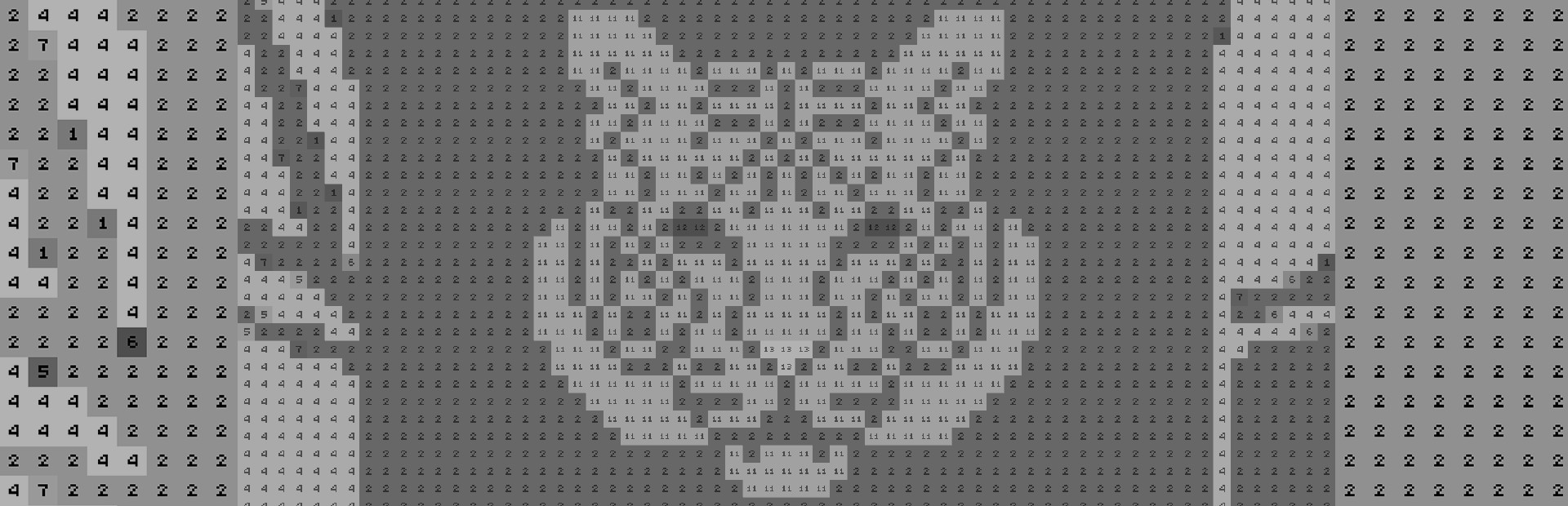
 Pixelarium is an evolved color by numbers game, where you can paint by numbers, letters or icons, with three game modes for different moods. Also, you can use Steam workshop to upload your own creations.
Features:
- Three game modes!
- Relax Mode: Helps you relieve stress and anxiety in work and life.
- Competitive Mode: For fastest players.
- Game Mode: Make the longest pixel chain, get bonuses and jump between colors! But be careful with pixel bugs!
- Workshop support: Upload your own pixel art and share-it with the community!
- Paint by Numbers or Letters or Icons.
- Mystery Mode: Everything is a surprise!
- In-game tools: Hints system, Eyedropper & Color Bucket.
- Final picture customization with pixel textures.
- Gamepad support.
- Massive content with more than 3,500 pictures in different sizes.
Keyboard shortcuts:
Right-handed:
- WASD: move around.
- Q or Z or LEFT arrow: Jump to left color.
- E or X or RIGHT arrow: Jump to right color.
- IJKL: move around.
- U or LEFT arrow : Jump to left color.
- O or RIGHT arrow: Jump to right color.
- Caps Lock On : you can use LETTER shortcuts when playing with letters & numbers.
- Spacebar: Open palette.
- Control + Left Click: Color eyedropper.
- UP arrow: show controls shortcuts.
- Esc : Exit Game.
Pixelarium — game info
- Platforms
- Windows
- Player modes
- Single-player
- Controller
- Partial controller support
- PC Game Pass
- Not included
What Steam players say
Recent verbatim reviews from Steam — separate from playze.io community reviews below.
This is very good pixel coloring game to relax with! I really enjoy the soundtrack and there are thousands of pictures to colour, of various sizes, without the need to pay for endless DLCs.11 found this helpful
Best pixel game I have ever played! Thousands of free pictures compared to other games like Coloring Pixels where after several pictures you have to start paying for more (DLC).2 found this helpful
For a color by numbers pixel art game, there is a massive selection and it's all at one price with no DLC to get the full collection, beyond the quantity and value though things go downhill. The user experience borders on non-existent. You have a small selection of filters to narrow down the art but isn't enough to really drill down on some of it. The actual color by number process is also lacking in a lot of quality of life features. While there's a bunch of settings to adjust the pixels, none of them actually give them high visibility as the two key modes that can't be tweaked is different shades of gray with black numbers/letters/symbols, or all black with grayscale shaded aformentioned glyphs. As you can guess, there's shades that make the glyphs really hard to see making the experience eye-straining. Additionally a lot of the art was imported with dithered interpolation instead of banded, so you're going to find yourself in a lot of situations where you have to literally click pixel by pixel to color a specific color, feeling less like painting a picture and more like an old lady hunting and pecking on a keyboard. The ability to fill and highlight pixels of a color you'r…
Great relaxing game.
There are a few issues. The annoying, continuous drip effect from the paint bucket can't be turned off without disabling the other visual effects, like the very satisfying pixel-filling animation. I've also had some problems with the game not recognizing the "0" key being pressed while typing in a color number. While I'm not a fan of most of the stock art myself, people have put a bunch of solid stuff on the workshop, and I liked this game enough to figure out how to bypass the workshop altogether (check my guide!), so that says something. Very good product for the satisfaction of turning some random image on your computer into a calming 20-hour exercise in square-clicking.
I've had many crashes while trying to create my own puzzles, crashes which in turn cause other programs (Steam, Chrome) to bug out and freeze or crash. Also, it's very frustrating when trying to create a puzzle and edit a color in one spot, only to find out it's used in another area. For example, green shadowing surrounding text being used in a person's clothes. If I want to change that color to black for the text, it's also going to add an awkward chunk of black in the clothes. There's only one way to avoid this issue and it's to change individual pixel colors one. By. One. I'd suggest that the devs allow you to use a selection tool so you can group a bunch of pixels at once to change their color. I bought this solely for the ability to turn my own photos into pixel art puzzles. I chose this over the Coloring Game DLC that does the same thing, and I think I've made a mistake.
Community reviews
0 reviews
Sign in to write a review.
No reviews yet. Be the first to review this game.
More like Pixelarium


News
 Xbox
XboxMinecraft Dungeons 2 Deluxe Edition: skip it, play on Game Pass
The Minecraft Dungeons 2 Deluxe Edition asks you to pre-order two unannounced DLC packs for a game Game Pass already gives you. What it contains, and why the upgrade can wait.
Sep 30, 2026 PC
PCIs DayZ worth it? A straight answer before you buy
Is DayZ worth it? Twelve years on it is still the genre's least forgiving game. What you are buying, who it suits, and what our 97-day price record says about the timing.
Sep 30, 2026 PC
PCTransport Fever 3 price: which edition to buy on launch day
Transport Fever 3 is out today. The Transport Fever 3 price splits three ways, the loyalty discount has a fortnight-long fuse, and our record shows what the older game really costs.
Sep 29, 2026 PC
PCNo Man's Sky price: how low it gets and when to buy
The No Man's Sky price has come a long way down since 2016, and the game is on PC Game Pass too. Our tracked 12-month low, the regional key gap, and what to actually pay.
Sep 29, 2026 Deals
DealsSekiro cheap: what our price record shows, and what to avoid
Search Sekiro cheap and the results are keyshop listings, not a store discount. Our three-month price record explains the gap, and why so few live offers changes the advice.
Sep 28, 2026 Freebies
System Shock 2 Remaster free on Epic from 1 October
System Shock 2 Remaster free on Epic from 1 to 8 October, alongside BURIED STARS. Our price record shows why its floor has not moved in three months, and why waiting beats buying this week.
Sep 28, 2026 PC
PCDead Island 2 cheap: which edition, and what the price does
Dead Island 2 cheap used to mean under a dollar. Our price record shows the floor has roughly doubled since September - here is which edition to buy, and the one that is a trap.
Sep 27, 2026 Deals
DealsSteam Autumn Sale 2026: the games that cannot be discounted
The Steam Autumn Sale 2026 runs 1-8 October, but Valve's own rules bar every September release from it. Which games are locked out, and what our record says about the two biggest.
Sep 27, 2026 PC
PCTekken 8 ღირს თუ არა: 91 ქულა და შერეული შეფასება
Tekken 8 ღირს თუ არა, როცა კრიტიკოსებს 91 ქულა აქვთ დაწერილი, მოთამაშეებს კი „შერეული"? ფასი, ონლაინის მდგომარეობა და უკეთესი ალტერნატივა.
Sep 24, 2026 Deals
DealsStellaris იაფად: ოცდახუთი დამატება და ერთი გამოსავალი
Stellaris იაფად ყიდვა საბაზისო თამაშის შემთხვევაში მარტივია. ძვირი დამატებებია — და მათთვის არსებობს ვარიანტი, რომელსაც ბევრი ვერ ამჩნევს.
Sep 24, 2026 PC
PCARK ფასი: Evolved თუ Ascended — რომელი ვიყიდოთ
ARK ფასი ორი სხვადასხვა თამაშის ფასია. რომელი ჯობია ქართული სიიდან, სად არიან მოთამაშეები და რატომ არ ღირს ახალ ვერსიაზე გადახტომა.
Sep 24, 2026 Deals
DealsCivilization 6 იაფად: რომელი დამატება ღირს მართლა
Civilization 6 იაფად ყიდვა მარტივია — საბაზისო თამაში იაფია და იაფად რჩება. რთული ის არის, რომ ცხრამეტი დამატებიდან სწორი აირჩიოთ.
Sep 24, 2026 Freebies
CS2 უფასოდ: რა ღირს სინამდვილეში Prime
CS2 უფასოდ ითამაშება საქართველოდანაც და ეს დემო არაა. ფული მხოლოდ Prime-ს სჭირდება — აი, რას იძლევა ის და ვის ღირს.
Sep 24, 2026 PC
PCCuphead ღირს თუ არა: სირთულე, DLC და ორზე თამაში
Cuphead ღირს თუ არა: ექვსივე ქართულ მაღაზიაში ერთი ფასია, მეგობარს კი ასლი საერთოდ არ სჭირდება. სირთულე, ერთადერთი დამატება და როდის ვიყიდოთ.
Sep 23, 2026 Deals
DealsRimWorld იაფად: ბაზა, ხუთი დამატება და სწორი რიგი
RimWorld იაფად ყიდვა დამატებების რიგზეა დამოკიდებული, არა ფასდაკლების ლოდინზე. რომელი ხუთიდან ღირს ჯერ და რომელ მაღაზიას აქვს ფასდაკლება.
Sep 23, 2026 PC
PCPhasmophobia ფასი: ოთხი ასლი და ერთი მაღაზია
Phasmophobia ფასი ქართულ სიაში მხოლოდ ერთ მაღაზიაში ჩანს, თამაში კი ოთხზეა გათვლილი. რატომ ღირს ფასდაკლების დალოდება და რა გჭირდებათ დასაწყებად.
Sep 23, 2026Top games right now
All rankings →- 1Counter-Strike 2Free
- 2Dota 2Free
- 3PUBG: BATTLEGROUNDSFree
- 4Grand Theft Auto V Legacy—
- 5Terraria$2.20
- 6Rust$25.62
- 7Team Fortress 2Free
- 8Black Myth: Wukong$35.70
- 9HELLDIVERS™ 2$30.56
- 10ELDEN RING$52.89
- 11Apex Legends™Free
- 12Left 4 Dead 2$9.99
- 13Stardew Valley$14.73
- 14Wallpaper Engine$3.99
- 15Euro Truck Simulator 2$4.99
- 16Dead by Daylight$10.40
- 17Red Dead Redemption 2$10.54
- 18Baldur's Gate 3$41.99
- 19Phasmophobia$18.29
- 20War ThunderFree
- 21Call of Duty®—
- 22ARK: Survival Evolved$14.24
- 23Among Us$3.03
- 24The Forest$19.99