
Digital Dungeon Tiles
HMM · April 13, 2020 · Indie, Strategy, Adventure, RPG, Level Editor
Buy Digital Dungeon Tiles from Steam at $29.99 — the cheapest of 1 store we compare.
 Buy at Steam
 Where to buy Digital Dungeon Tiles — official stores
Digital Dungeon Tiles price by region
Digital Dungeon Tiles costs £23.79 in the United Kingdom, €24.99 in Europe (EUR), $29.99 in the United States, $29.99 in Georgia (USD), CA$33.99 in Canada, NZ$36.99 in New Zealand, A$42.95 in Australia, R$57.99 in Brazil and zł107.99 in Poland right now.
| Region | Best price | Official store | Key shop | Stores |
|---|---|---|---|---|
 United Kingdom United Kingdom | £23.79 | £23.79 | — | 1 |
 Europe (EUR) Europe (EUR) | €24.99 | €24.99 | — | 1 |
 United Statesyour region United Statesyour region | $29.99 | $29.99 | — | 1 |
 Georgia (USD) Georgia (USD) | $29.99 | $29.99 | — | 1 |
 Canada Canada | CA$33.99 | CA$33.99 | — | 1 |
 New Zealand New Zealand | NZ$36.99 | NZ$36.99 | — | 1 |
 Australia Australia | A$42.95 | A$42.95 | — | 1 |
 Brazil Brazil | R$57.99 | R$57.99 | — | 1 |
 Poland Poland | zł107.99 | zł107.99 | — | 1 |
Each row is a real price from that region's own stores, not a currency conversion, so the figures are not directly comparable. Switch regions in the header to shop the one you buy in.
Screenshots
About Digital Dungeon Tiles
What is Digital Dungeon Tiles?
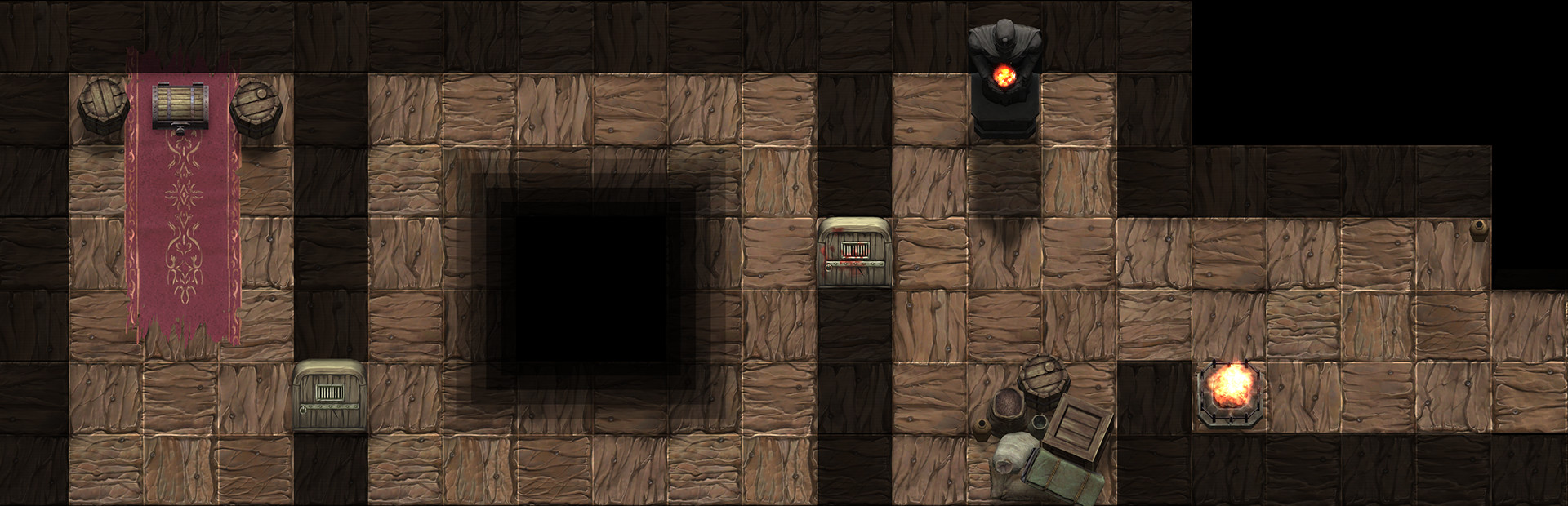
A tool to quickly build Battle Maps (Interior & Exterior) for Screen in Table, Print, or Digital Play. As a bonus feature you can play right inside the software using our hero and monster tokens. Play as if your Miniatures are in the map.
In four quick steps you are ready to Battle:
- Choose a tile size
- Place Some Tiles
- Add Some Decoration
- Push Play!
How Can You Use It?
- Screen in Table Play (As shown below)
- Projector on Table Play
- Print and Play (Orthographic Print Exports for you to print yourself or have printed professionally. \)
- Play in Digital Dungeon Tiles with our token system. (With New Token Stats System)
What Are Some Features?
- Screen and Print-based Map Sizes are available and customizable. (Screenshot Below)
- Choose the size of your Screen in Table or Print Page.
- Build Battle Maps
- Export for Print
- Play right in Digital Dungeon Tiles
- Hero and Monster Tokens
- Time of Day Lighting
- Weather System
- Animated Effects
- Save and Load Maps (Including Token Locations)
- Mix Token and Miniatures based play to have Fog of War when using real Miniatures.
- NEW Token Stats System
Note:
This is a map making software first and foremost, the extra playing features included and being added are bonus content.Update v1.5- Token Stats System
Token Stats is a visual stats system available on each token while in play mode. Stats can be hidden and shown as needed, on each token. This gives players access to quickly tracking HP and other important stats, to make playing easier. This works great with the token system and works with real miniatures by sitting tokens beneath them on the map.
- Token Name
- Current Hit Points
- Maximum Hit Points
- Actions
- Status Effects
- Facing Direction
- Token Ownership
Update v1.7 - Dicey Dice (Filled Request)
A simple Dice Roller allowing multiple dice to be rolled at the same time with each individual result being displayed. The dice display area can be cleared and closed to free-up screen space as needed. The dice roll from the view of the selected token, making dice results easy to read.
Update v1.8 - Initiative System
We've added an Initiative System to help track turns.. because even when playing with 3D printed miniatures, paper character sheets and real dice.. no one likes to track initiative! So let us track initiative for you!
- Give your tokens a unique name
- Click the "add to Initiative" button
- Play!
Extra Information
Works with Hero Mini Maker *Not Required
Works best with Miniatures created and printed from within Hero Mini Maker (shown in screenshots).
Digital Dungeon Tiles — game info
- Platforms
- Windows
- Player modes
- Single-player, Co-op, Split screen
- PC Game Pass
- Not included
What Steam players say
Recent verbatim reviews from Steam — separate from playze.io community reviews below.
This is basically a proof of concept beta with no real content. There are a few tiles, you can "recreate" and expand the advertisement map a bit, but as soon as you start to go away from the "4x4" layout the tiles start to look off. The lighting may look nice, but it doesn't make up for the lack of objects to place on the map. You can't even make a battlemap for a simple house ... since you miss most stuff for the interior. There are far better free tools for battlemaps out there.6 found this helpful
Update 12/18: I've used this for several months now, and while the things I love about it still stand, I'm having a hard trouble with saving. I'll make a map, save it, continue making changes, and save it again. I'll re-save over the previous one, clicking 'yes' that I would like to overwrite, but when I close out the program and re-open, my changes are not retained. I've lost a lot of work that way :( . For a while I could save it by giving each save a new name but now each map, no matter what, loses all details and lighting and just keeps the footprint every time I reopen a map from close. Sadly, this makes the product unusable so I've changed my review from 'recommended' to 'not recommended'. Previous review: I love all the extensive dungeon items and tiles! I wanted to create a burial chamber with coffins, offering urns, chests, skeletons and motifs on the wall. To my surprise, everything I wanted was available as an asset, plus more! Also the lighting is awesome, really makes the map come alive. Each object reacts to every light you place in the dungeon, and each light has different brightness according to its size. Once I got the hang of how to move, scale, and rotate …2 found this helpful
The graphical effects of the light, shadows and weather effects are very good however the playability of this game is extremely limited. Its worth noting that this game must compete with online alternatives such as Roll20 and Fantasy grounds. There is no 3d dice roll just a rather unsatisfying window that gives you your result. This is further hampered by the lack of character sheets or programmable actions such as rolling an ability check or attack action. Where is the import option for tokens, also why are the tokens limited to 2D character portraits? opening this up to the huge online community of 3D artists could result in a massive selection of 3D character and monsters in a very short time. And finally the massive elephant in the room, there are no network options, without using 3rd party software we are left with only been able to use this for a room full of people - and if thats the case why do we need this? The building is quick as advertised but the above limitations coupled with no open of exporting the map makes this unviable as a VTT option right now. In short this game feel unfinished, once the above issues are addressed this would make a fantastic solution to re…1 found this helpful
I bought this game to design player maps for my D&D group. This game is easy to use and offers dozens of graphical "enhancements" that can be used to visualize dungeon maps for players. The designers seem interested in expanding the variety of enhancements and respond to promptly to suggestions on the community forums. When I encountered a bug, the game designers worked with me to solve the issue and fix my maps. I really appreciate the personal attention. It's clear the game designers care about their game and building a good reputation with their player base. I highly recommend the game.1 found this helpful
Really easy to create nice looking maps. As a DM I greatly appreciate this and the recent addition for Roll20 compatible maps makes life in quarantine much more pleasant.1 found this helpful
I love it! Building maps is fast and easy. It took a few minutes to figure out that I had to export the map for printing while in play mode, but I read the help screen after the fact.. I should have read it first LOL I've spent so much money on real dungeon tiles, but never really get to use them because they take so long to set up and then everyone can see whats coming up as they play. I've played with the token stats and fog of war, I'm so excited for my next session, the players are going to love this! More of this please!!1 found this helpful
Community reviews
0 reviews
Sign in to write a review.
No reviews yet. Be the first to review this game.
More like Digital Dungeon Tiles


News
 Xbox
XboxMinecraft Dungeons 2 Deluxe Edition: skip it, play on Game Pass
The Minecraft Dungeons 2 Deluxe Edition asks you to pre-order two unannounced DLC packs for a game Game Pass already gives you. What it contains, and why the upgrade can wait.
Sep 30, 2026 PC
PCIs DayZ worth it? A straight answer before you buy
Is DayZ worth it? Twelve years on it is still the genre's least forgiving game. What you are buying, who it suits, and what our 97-day price record says about the timing.
Sep 30, 2026 PC
PCTransport Fever 3 price: which edition to buy on launch day
Transport Fever 3 is out today. The Transport Fever 3 price splits three ways, the loyalty discount has a fortnight-long fuse, and our record shows what the older game really costs.
Sep 29, 2026 PC
PCNo Man's Sky price: how low it gets and when to buy
The No Man's Sky price has come a long way down since 2016, and the game is on PC Game Pass too. Our tracked 12-month low, the regional key gap, and what to actually pay.
Sep 29, 2026 Deals
DealsSekiro cheap: what our price record shows, and what to avoid
Search Sekiro cheap and the results are keyshop listings, not a store discount. Our three-month price record explains the gap, and why so few live offers changes the advice.
Sep 28, 2026 Freebies
System Shock 2 Remaster free on Epic from 1 October
System Shock 2 Remaster free on Epic from 1 to 8 October, alongside BURIED STARS. Our price record shows why its floor has not moved in three months, and why waiting beats buying this week.
Sep 28, 2026 PC
PCDead Island 2 cheap: which edition, and what the price does
Dead Island 2 cheap used to mean under a dollar. Our price record shows the floor has roughly doubled since September - here is which edition to buy, and the one that is a trap.
Sep 27, 2026 Deals
DealsSteam Autumn Sale 2026: the games that cannot be discounted
The Steam Autumn Sale 2026 runs 1-8 October, but Valve's own rules bar every September release from it. Which games are locked out, and what our record says about the two biggest.
Sep 27, 2026 PC
PCTekken 8 ღირს თუ არა: 91 ქულა და შერეული შეფასება
Tekken 8 ღირს თუ არა, როცა კრიტიკოსებს 91 ქულა აქვთ დაწერილი, მოთამაშეებს კი „შერეული"? ფასი, ონლაინის მდგომარეობა და უკეთესი ალტერნატივა.
Sep 24, 2026 Deals
DealsStellaris იაფად: ოცდახუთი დამატება და ერთი გამოსავალი
Stellaris იაფად ყიდვა საბაზისო თამაშის შემთხვევაში მარტივია. ძვირი დამატებებია — და მათთვის არსებობს ვარიანტი, რომელსაც ბევრი ვერ ამჩნევს.
Sep 24, 2026 PC
PCARK ფასი: Evolved თუ Ascended — რომელი ვიყიდოთ
ARK ფასი ორი სხვადასხვა თამაშის ფასია. რომელი ჯობია ქართული სიიდან, სად არიან მოთამაშეები და რატომ არ ღირს ახალ ვერსიაზე გადახტომა.
Sep 24, 2026 Deals
DealsCivilization 6 იაფად: რომელი დამატება ღირს მართლა
Civilization 6 იაფად ყიდვა მარტივია — საბაზისო თამაში იაფია და იაფად რჩება. რთული ის არის, რომ ცხრამეტი დამატებიდან სწორი აირჩიოთ.
Sep 24, 2026 Freebies
CS2 უფასოდ: რა ღირს სინამდვილეში Prime
CS2 უფასოდ ითამაშება საქართველოდანაც და ეს დემო არაა. ფული მხოლოდ Prime-ს სჭირდება — აი, რას იძლევა ის და ვის ღირს.
Sep 24, 2026 PC
PCCuphead ღირს თუ არა: სირთულე, DLC და ორზე თამაში
Cuphead ღირს თუ არა: ექვსივე ქართულ მაღაზიაში ერთი ფასია, მეგობარს კი ასლი საერთოდ არ სჭირდება. სირთულე, ერთადერთი დამატება და როდის ვიყიდოთ.
Sep 23, 2026 Deals
DealsRimWorld იაფად: ბაზა, ხუთი დამატება და სწორი რიგი
RimWorld იაფად ყიდვა დამატებების რიგზეა დამოკიდებული, არა ფასდაკლების ლოდინზე. რომელი ხუთიდან ღირს ჯერ და რომელ მაღაზიას აქვს ფასდაკლება.
Sep 23, 2026 PC
PCPhasmophobia ფასი: ოთხი ასლი და ერთი მაღაზია
Phasmophobia ფასი ქართულ სიაში მხოლოდ ერთ მაღაზიაში ჩანს, თამაში კი ოთხზეა გათვლილი. რატომ ღირს ფასდაკლების დალოდება და რა გჭირდებათ დასაწყებად.
Sep 23, 2026Top games right now
All rankings →- 1Counter-Strike 2Free
- 2Dota 2Free
- 3PUBG: BATTLEGROUNDSFree
- 4Grand Theft Auto V Legacy—
- 5Terraria$2.20
- 6Rust$25.98
- 7Team Fortress 2Free
- 8Black Myth: Wukong$35.70
- 9HELLDIVERS™ 2$30.92
- 10ELDEN RING$52.89
- 11Apex Legends™Free
- 12Left 4 Dead 2$9.99
- 13Stardew Valley$14.99
- 14Wallpaper Engine$3.99
- 15Euro Truck Simulator 2$4.99
- 16Dead by Daylight$7.20
- 17Red Dead Redemption 2$12.72
- 18Baldur's Gate 3$41.99
- 19Phasmophobia$18.24
- 20War ThunderFree
- 21Call of Duty®—
- 22ARK: Survival Evolved$14.20
- 23Among Us$3.03
- 24The Forest$19.99