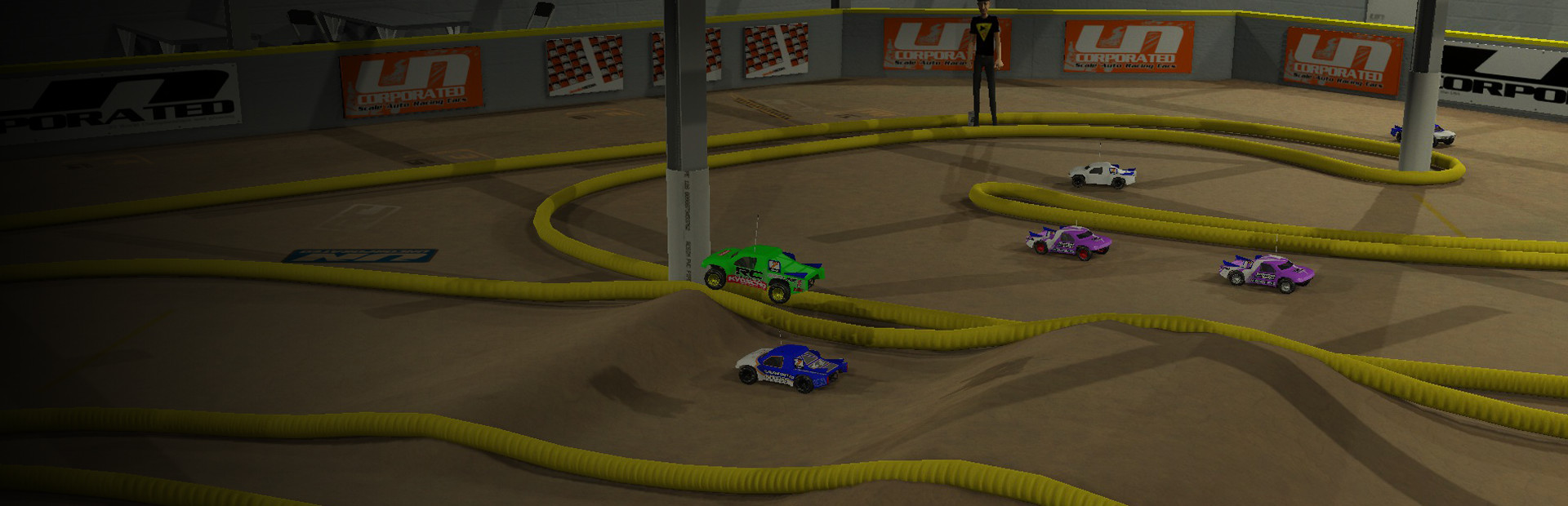

RC Simulation 2.0
devotid · July 16, 2018 · Automobile Sim, Simulation, Racing, Indie, Driving
Buy RC Simulation 2.0 from Steam at $14.99 — the cheapest of 2 stores we compare.
 Buy at Steam
 Where to buy RC Simulation 2.0 — official stores

RC Simulation 2.0 price by region
RC Simulation 2.0 costs £10.99 in the United Kingdom, $14.99 in the United States, €14.99 in Europe (EUR), $14.99 in Georgia (USD), CA$16.99 in Canada, NZ$17.99 in New Zealand, A$21.32 in Australia, R$27.99 in Brazil and zł53.99 in Poland right now.
| Region | Best price | Official store | Key shop | Stores |
|---|---|---|---|---|
 United Kingdom United Kingdom | £10.99 | £10.99 | — | 2 |
 United Statesyour region United Statesyour region | $14.99 | $14.99 | — | 2 |
 Europe (EUR) Europe (EUR) | €14.99 | €14.99 | — | 2 |
 Georgia (USD) Georgia (USD) | $14.99 | $14.99 | — | 2 |
 Canada Canada | CA$16.99 | CA$16.99 | — | 2 |
 New Zealand New Zealand | NZ$17.99 | NZ$17.99 | — | 2 |
 Australia Australia | A$21.32 | A$21.32 | — | 2 |
 Brazil Brazil | R$27.99 | R$27.99 | — | 2 |
 Poland Poland | zł53.99 | zł53.99 | — | 2 |
Each row is a real price from that region's own stores, not a currency conversion, so the figures are not directly comparable. Switch regions in the header to shop the one you buy in.
Screenshots
About RC Simulation 2.0

Current Features:
- - 26 default RC Vehicles (Cars, Trucks, Crawlers, Boats, Quadcopters and Planes etc)
- - Simple in game Track/Map editor with one click upload to Steam Workshop to share your creation with the world.
- - Over 250 + Workshop tracks to download and enjoy!
- - In game Vehicle Paint Booth with over 100+ different Brushes and Decals to create any unique paint livery you would like.
- - Single player or up to 10 vehicle Multiplayer
- - 8 Camera Views Per Track/ Facility including FPV animated mode, Driverstand, Onboard, Follow, Rotate and Blimp Cams
- - Live animated Track marshals and Camera men with Ragdoll Physics
- - Drive from anywhere you want.
- - Walk the track in FPV Mode and explore anywhere in the game.

Controllers:
You can use ANY Controller you want with RCSIM. Keyboard, XBOX360 for PC, PS3, Steam Controllers etc. Though most prefer using a real RC Transmitter via USB-PC (Not available for Linux or Mac as of 11.15.2017) adapter. These are readily available for todays real rc transmitters. This is the best way to drive RC SIM 2.0. You will not only have the most control on these super fast machines but will gain the most from practicing with the same remote as you use in real life. Adapters for almost all of today's RC transmitters can be found with a simple google search. Just google “transmitter to USB” or "USB RC Transmitter adapter”.

Current Surface Vehicles:
- – 1/10th Scale Buggy 2WD
- – 1/10th Scale Buggy 4WD
- – 1/8th Scale Buggy 4WD
- – 1/10th Scale Stadium Truck 2WD
- – 1/10th Scale Short Course 2WD
- – 1/10th Scale Short Course 4WD
- – 1/10th Scale Rock Crawler 4WD with moveable camera and paintball marker
- – 1/10th Scale Squatch Rock crawler
- – 1/10th Scale 4-Link Monster truck
- – 1/10th Scale Touring car AWD
- – 1/10th Scale Drift car
- – 1/12th Scale Pan car
- – 1/10th Scale Semi truck with trailer

Current Air Vehicles:
- Mini Quad 250 mm
- Mini Quad 265 mm
- Med Quad 310 mm
- Med Quad 385 mm with movable camera and paintball marker
- PiperKub 40 Trainer plane
- JumboJet 110 Brushless ducted fan aircraft
- FighterJet 88 Brushless ducted fan jet fighter
- Junker 80 Vintage low wing war plane

Current Sea Vehicles:
- 28″ Wakeboat with movable camera and paintball marker
- 36″ Outrigger race boat
- 42″ Catamaran race boat
- 46″ Deep Vee race boat
- 52" Battleship with movable camera and paintball marker
Track/Map Creator:
- - Simple yet Powerful in game Track/Map editor with one click upload to Steam Workshop to share your creation with the world.

In-Game Vehicle Paint Booth
- Easy to use in game vehicle paint booth with over 100 brushes and decals to create your own custom paint schemes. The paint booth also features a accent color changer to really make the whole package come together with changeable metal colors, lexan colors, wing colors, tie rod colors, wheel colors and more.

RC Simulation 2.0 — game info
- Platforms
- Windows, macOS, Linux / SteamOS
- Steam Deck
- Unsupported
- Player modes
- Single-player, Online PvP, Cross-platform multiplayer
- Controller
- Full controller support
- PC Game Pass
- Not included
What Steam players say
Recent verbatim reviews from Steam — separate from playze.io community reviews below.
I have been racing RC cars since 1984. This is the worst simulator I think I have ever tried. The base setup is undrivable. This actually has the opposite problem as VRC PRO. In that sim the cars push like a snow plow, in this one they have way too much steering. So far I have never gotten to try with AI bots because it never loads. I also don't understand why the devs did not use common terminology for motor power. Either say a KV rating or a motor turn rating. 1x power really means nothing to me. I had hoped this could be something I could use to keep my hands warm when I am not racing but it is not similar at all to actual racing. I feel like this was made by people who have never raced.
great game just needs tracks built. i didn't realise there a track builder built into the game
fun but bland
Good concept, once you get a good setup, the cars become drivable and you can actually run laps, but the in air control isnt great, but overall its fun
Game used to be good, now wont start up just keeps crashing at boot up.
RC Simulation 2.0 is a broad, sandbox-style simulation developed and published by devotid Media that sets out to recreate the diverse and hobby-driven world of radio-controlled vehicles in digital form. Rather than narrowing its focus to a single discipline like racing or flight, the game embraces the full spectrum of RC culture, allowing players to drive, fly, and experiment with a wide variety of vehicles in an open-ended environment. From the outset, it positions itself less as a polished, goal-oriented simulator and more as a virtual playground where experimentation, creativity, and personal enjoyment take precedence over structured progression. One of the most striking aspects of RC Simulation 2.0 is the sheer range of vehicles available. Players can take control of RC cars, trucks, crawlers, boats, planes, helicopters, and quadcopters, each governed by its own physics and handling quirks. Wheeled vehicles emphasize traction, suspension, and terrain interaction, while aerial vehicles demand an understanding of lift, balance, and momentum. This variety ensures that no two sessions feel quite the same, especially when switching between driving a ground vehicle on a custom track…
Community reviews
0 reviews
Sign in to write a review.
No reviews yet. Be the first to review this game.
More like RC Simulation 2.0


News
 Xbox
XboxMinecraft Dungeons 2 Deluxe Edition: skip it, play on Game Pass
The Minecraft Dungeons 2 Deluxe Edition asks you to pre-order two unannounced DLC packs for a game Game Pass already gives you. What it contains, and why the upgrade can wait.
Sep 30, 2026 PC
PCIs DayZ worth it? A straight answer before you buy
Is DayZ worth it? Twelve years on it is still the genre's least forgiving game. What you are buying, who it suits, and what our 97-day price record says about the timing.
Sep 30, 2026 PC
PCTransport Fever 3 price: which edition to buy on launch day
Transport Fever 3 is out today. The Transport Fever 3 price splits three ways, the loyalty discount has a fortnight-long fuse, and our record shows what the older game really costs.
Sep 29, 2026 PC
PCNo Man's Sky price: how low it gets and when to buy
The No Man's Sky price has come a long way down since 2016, and the game is on PC Game Pass too. Our tracked 12-month low, the regional key gap, and what to actually pay.
Sep 29, 2026 Deals
DealsSekiro cheap: what our price record shows, and what to avoid
Search Sekiro cheap and the results are keyshop listings, not a store discount. Our three-month price record explains the gap, and why so few live offers changes the advice.
Sep 28, 2026 Freebies
System Shock 2 Remaster free on Epic from 1 October
System Shock 2 Remaster free on Epic from 1 to 8 October, alongside BURIED STARS. Our price record shows why its floor has not moved in three months, and why waiting beats buying this week.
Sep 28, 2026 PC
PCDead Island 2 cheap: which edition, and what the price does
Dead Island 2 cheap used to mean under a dollar. Our price record shows the floor has roughly doubled since September - here is which edition to buy, and the one that is a trap.
Sep 27, 2026 Deals
DealsSteam Autumn Sale 2026: the games that cannot be discounted
The Steam Autumn Sale 2026 runs 1-8 October, but Valve's own rules bar every September release from it. Which games are locked out, and what our record says about the two biggest.
Sep 27, 2026 PC
PCTekken 8 ღირს თუ არა: 91 ქულა და შერეული შეფასება
Tekken 8 ღირს თუ არა, როცა კრიტიკოსებს 91 ქულა აქვთ დაწერილი, მოთამაშეებს კი „შერეული"? ფასი, ონლაინის მდგომარეობა და უკეთესი ალტერნატივა.
Sep 24, 2026 Deals
DealsStellaris იაფად: ოცდახუთი დამატება და ერთი გამოსავალი
Stellaris იაფად ყიდვა საბაზისო თამაშის შემთხვევაში მარტივია. ძვირი დამატებებია — და მათთვის არსებობს ვარიანტი, რომელსაც ბევრი ვერ ამჩნევს.
Sep 24, 2026 PC
PCARK ფასი: Evolved თუ Ascended — რომელი ვიყიდოთ
ARK ფასი ორი სხვადასხვა თამაშის ფასია. რომელი ჯობია ქართული სიიდან, სად არიან მოთამაშეები და რატომ არ ღირს ახალ ვერსიაზე გადახტომა.
Sep 24, 2026 Deals
DealsCivilization 6 იაფად: რომელი დამატება ღირს მართლა
Civilization 6 იაფად ყიდვა მარტივია — საბაზისო თამაში იაფია და იაფად რჩება. რთული ის არის, რომ ცხრამეტი დამატებიდან სწორი აირჩიოთ.
Sep 24, 2026 Freebies
CS2 უფასოდ: რა ღირს სინამდვილეში Prime
CS2 უფასოდ ითამაშება საქართველოდანაც და ეს დემო არაა. ფული მხოლოდ Prime-ს სჭირდება — აი, რას იძლევა ის და ვის ღირს.
Sep 24, 2026 PC
PCCuphead ღირს თუ არა: სირთულე, DLC და ორზე თამაში
Cuphead ღირს თუ არა: ექვსივე ქართულ მაღაზიაში ერთი ფასია, მეგობარს კი ასლი საერთოდ არ სჭირდება. სირთულე, ერთადერთი დამატება და როდის ვიყიდოთ.
Sep 23, 2026 Deals
DealsRimWorld იაფად: ბაზა, ხუთი დამატება და სწორი რიგი
RimWorld იაფად ყიდვა დამატებების რიგზეა დამოკიდებული, არა ფასდაკლების ლოდინზე. რომელი ხუთიდან ღირს ჯერ და რომელ მაღაზიას აქვს ფასდაკლება.
Sep 23, 2026 PC
PCPhasmophobia ფასი: ოთხი ასლი და ერთი მაღაზია
Phasmophobia ფასი ქართულ სიაში მხოლოდ ერთ მაღაზიაში ჩანს, თამაში კი ოთხზეა გათვლილი. რატომ ღირს ფასდაკლების დალოდება და რა გჭირდებათ დასაწყებად.
Sep 23, 2026Top games right now
All rankings →- 1Counter-Strike 2Free
- 2Dota 2Free
- 3PUBG: BATTLEGROUNDSFree
- 4Grand Theft Auto V Legacy—
- 5Terraria$2.20
- 6Rust$25.62
- 7Team Fortress 2Free
- 8Black Myth: Wukong$35.70
- 9HELLDIVERS™ 2$30.57
- 10ELDEN RING$52.89
- 11Apex Legends™Free
- 12Left 4 Dead 2$9.99
- 13Stardew Valley$14.73
- 14Wallpaper Engine$3.99
- 15Euro Truck Simulator 2$4.99
- 16Dead by Daylight$10.40
- 17Red Dead Redemption 2$10.54
- 18Baldur's Gate 3$41.99
- 19Phasmophobia$18.29
- 20War ThunderFree
- 21Call of Duty®—
- 22ARK: Survival Evolved$14.24
- 23Among Us$3.03
- 24The Forest$19.99